AINSIDE THE IMAGE FILE
Date Taken
Usually comes from EXIF camera metadata. It can describe when the picture was captured, if the camera clock and metadata are right.
EXIF · DateTimeOriginalA download date, a file-created date, and the day you took the photo can all be different. Learn what those dates mean, then make a careful correction with a Windows app.
There isn't just one. A photo can carry an embedded capture date while Windows records when the file arrived on this drive. Your photo app decides which date to display or sort by.
Usually comes from EXIF camera metadata. It can describe when the picture was captured, if the camera clock and metadata are right.
EXIF · DateTimeOriginalDescribes when this copy of the file was created on the current device. It can change when you download or copy a photo.
Windows · CreationTimeIf a timeline looks wrong, check both fields before editing. Updating the file date may not change a photo app that sorts by embedded EXIF.
Start with the event that scrambled your dates. Each guide explains a different cause and what information may still be recoverable.
Why does a photo show different dates in Explorer and a photo library?
Read the comparison ↗ FIELD NOTE 02Where the JSON date lives, how to keep it with the photo, and what the app can match.
Read the Takeout guide ↗ FIELD NOTE 03What a Windows file repair can fix, and why it doesn't directly change your Apple library.
Read the export guide ↗Fix My Photo Dates is a file utility, not a photo-library sync service. It helps you inspect exported or copied image files on your Windows PC.
Read all the practical answersChoose the photos you want to check. The app analyzes local files and matching Google Takeout JSON files when that option is enabled.
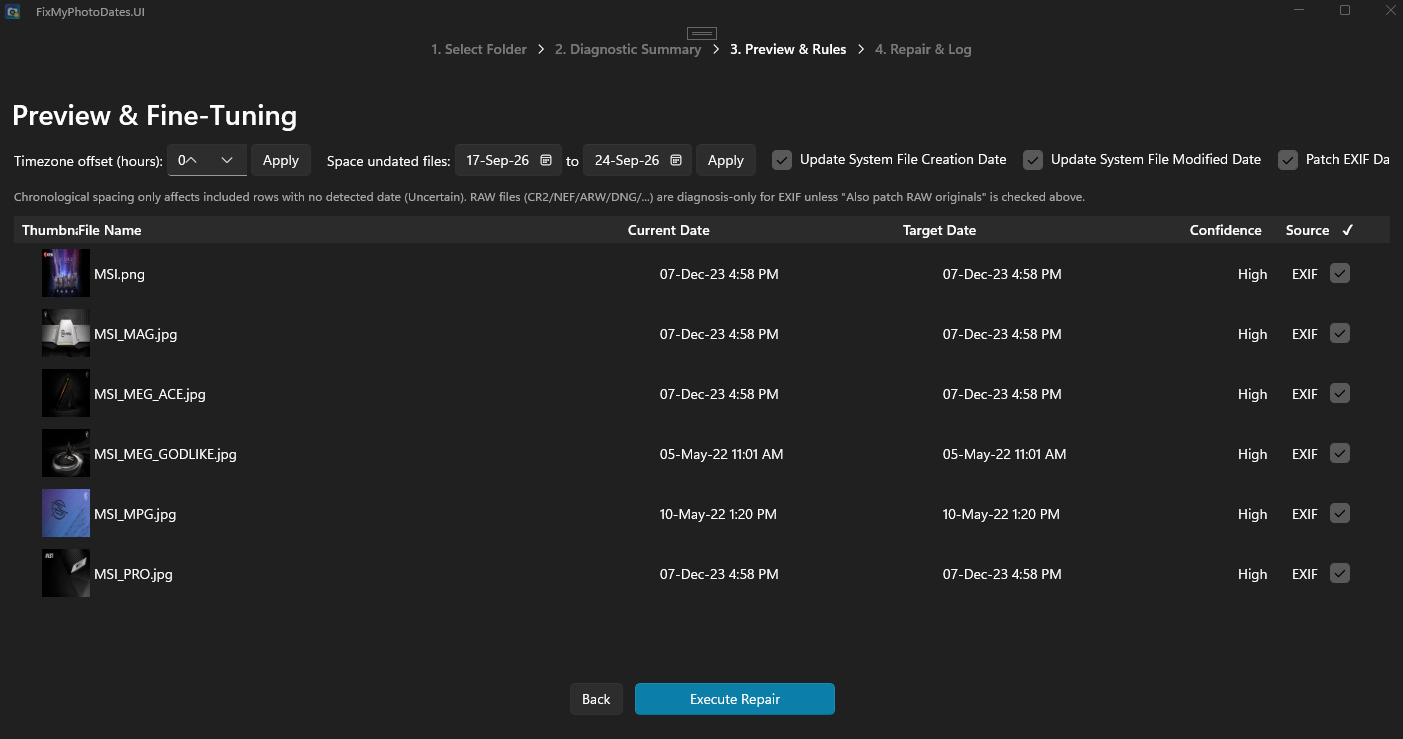
Review the proposed date alongside its detection source and confidence. Inspect uncertain files instead of guessing.
Choose supported file timestamps, embedded EXIF date fields, or both. You can exclude files or manually override a date.
Analysis and repair happen locally on Windows. The app does not upload your photos and does not connect to an Apple Photos library. Keep an independent backup before editing important files.
Privacy detailsStart with a diagnosis. Review each proposal before you change a file.
Find it on Microsoft Store